
This case is、2021/3/4The problem was resolved with "Photo Eraser Version 3.2.0" released in。
Please update to the latest version of Photo Eraser.。
Below is、2021/3/4This will be old information。I'll leave it here for reference。
============= Old Information =============
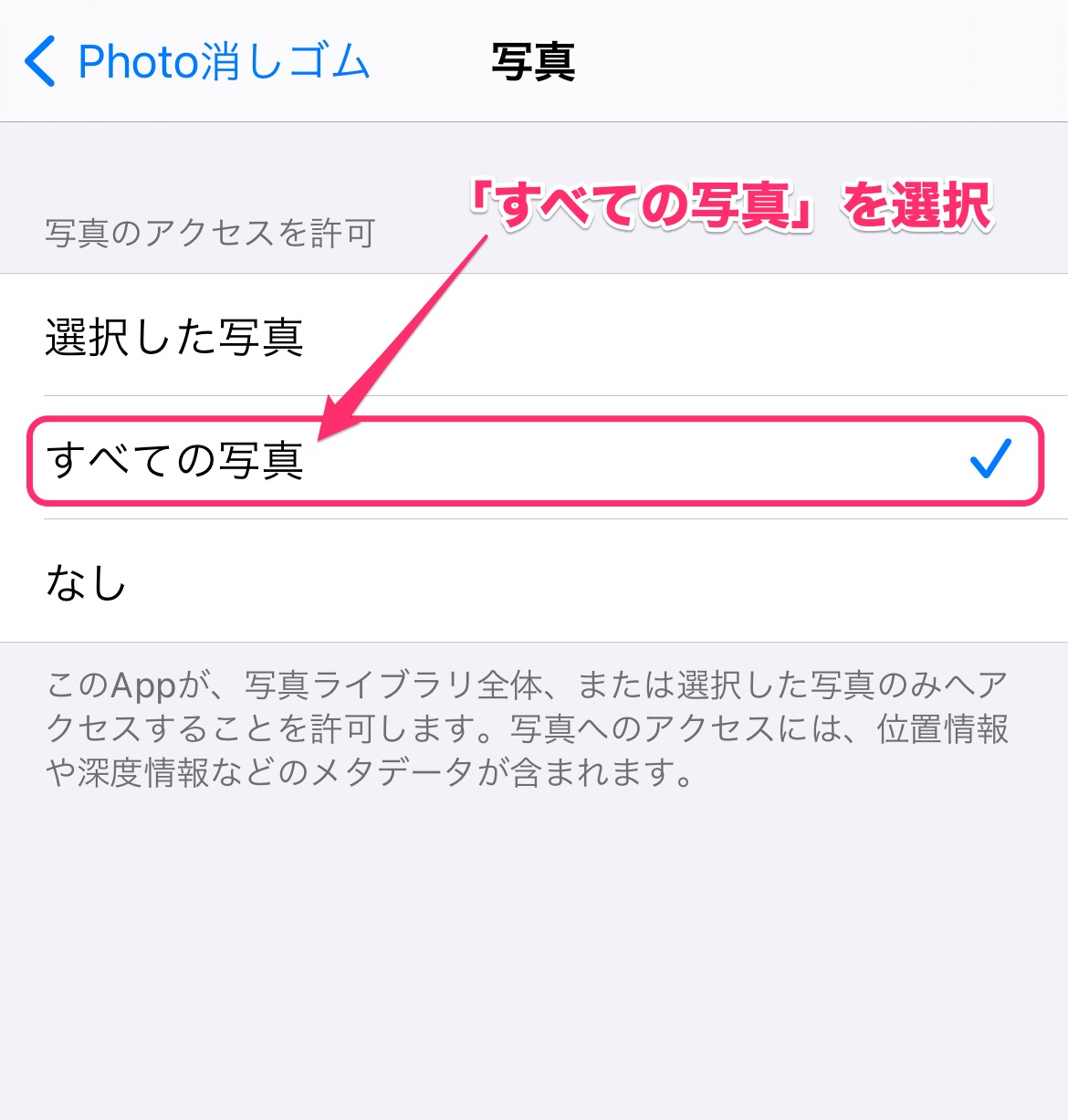
After updating to iOS14、We have received many inquiries about the Photo Eraser not being able to load new photos.。In that case、Photo eraser permission settings、You may be able to load new photos by changing the photo settings to "All photos".、Please try it。
The detailed setting steps are as follows。
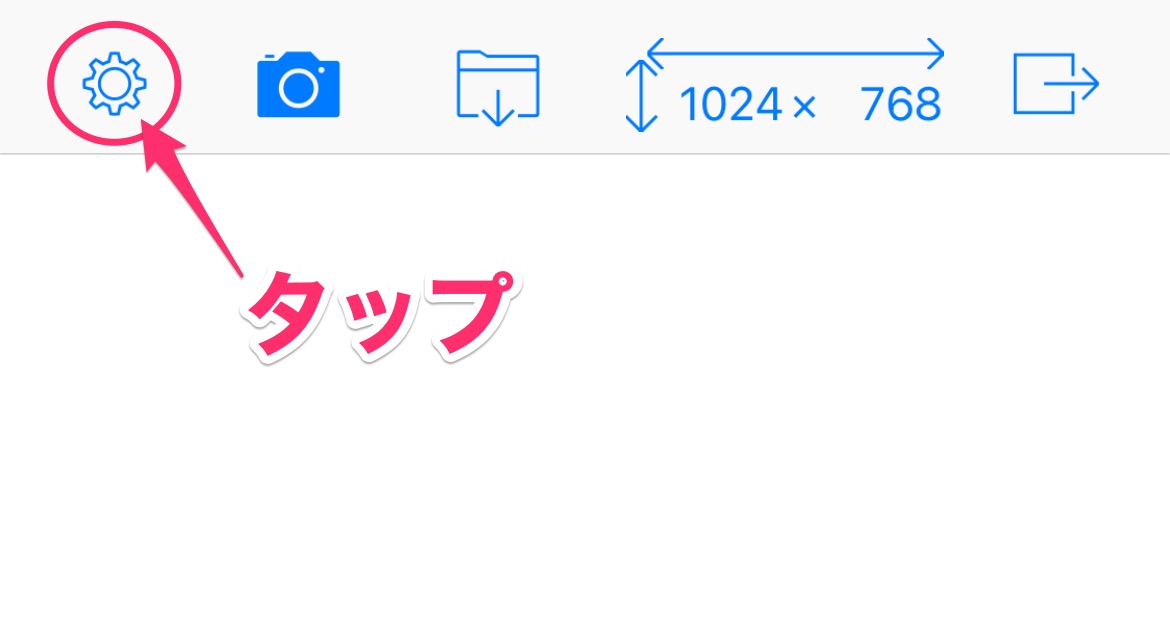
1. Tap the gear button on the top left of the Photo Eraser screen to open the Photo Eraser settings screen.。
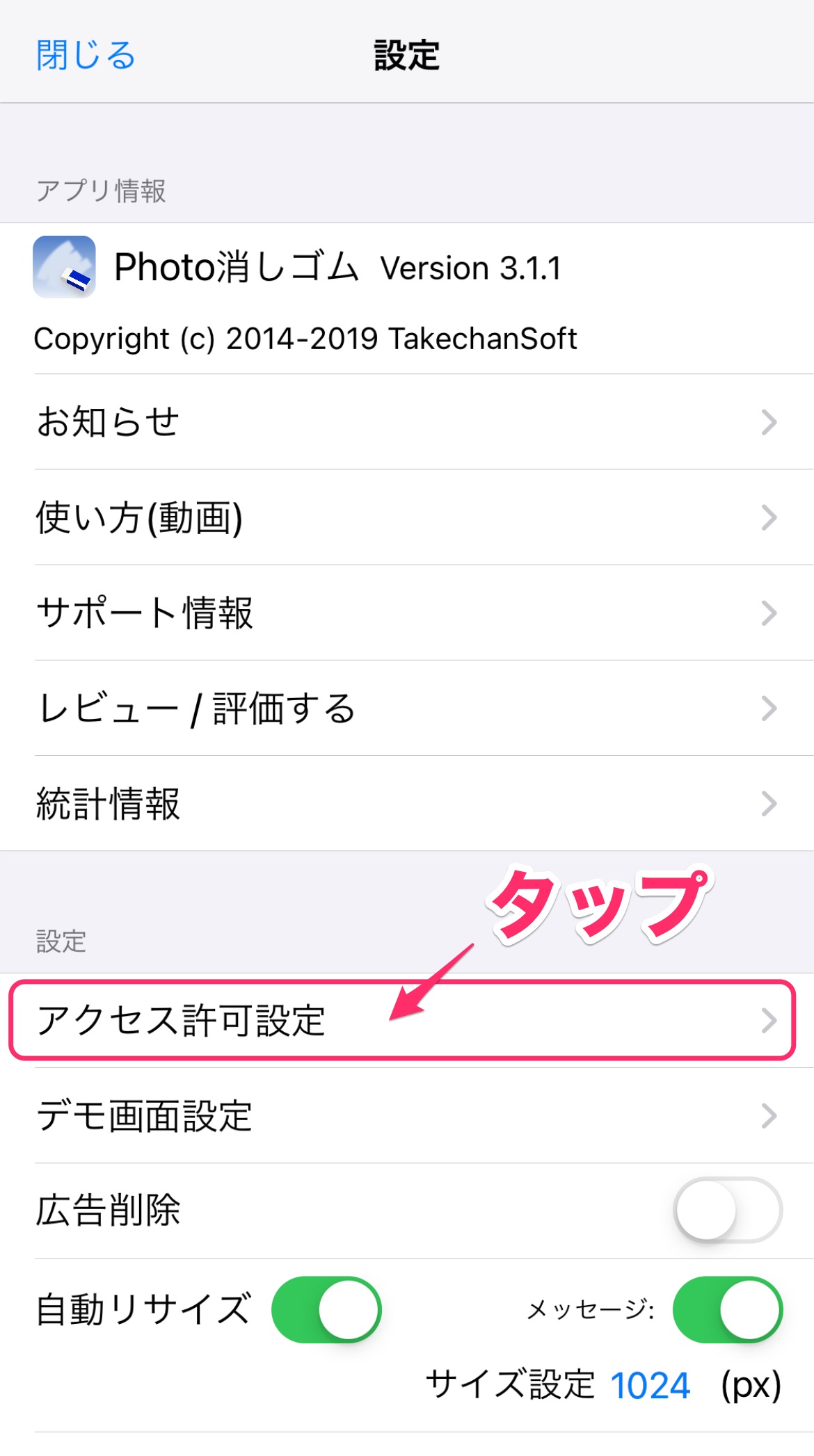
2.Tap the "Access permission settings" item to open the Photo Eraser access permission settings screen.。
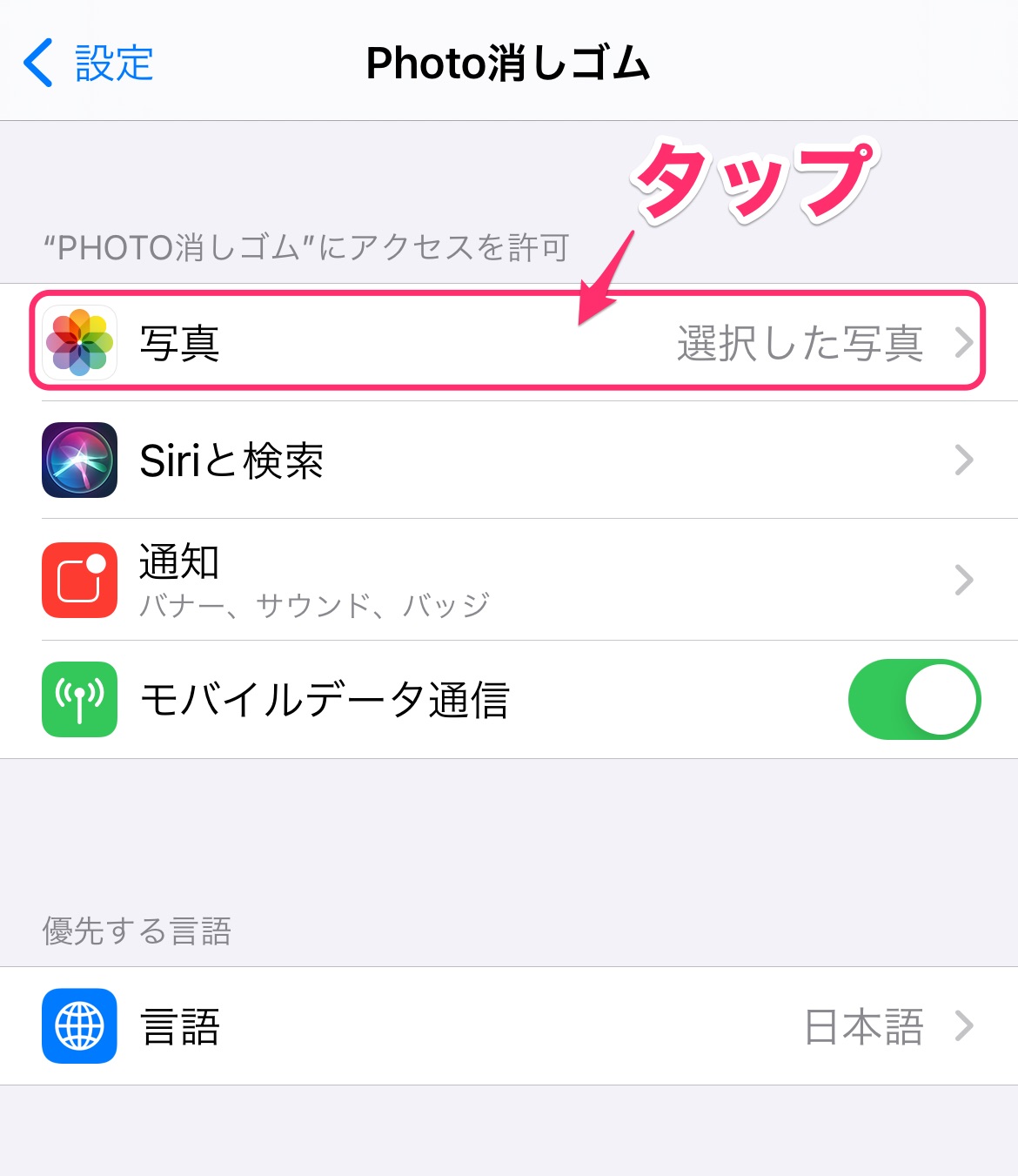
3.Tap the "Photo" item to open the photo access permission setting screen。
4.Select "All Photos" on the photo permission settings screen。
(What causes this problem?)
When Photo Eraser loads photos from your photo library、A permission request screen will appear asking for permission to access the user's photo library.。This is not the screen displayed by Photo Eraser.、This is a screen that is automatically displayed by the OS due to the OS's privacy protection function.、From iOS14、Functions have been added to this access permission request screen.、as follows、Allow access to all photos、A screen will now appear where users can choose whether to allow access to only selected photos.。
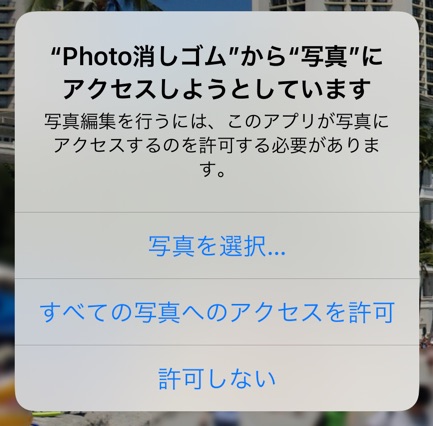
If you select "Allow access to all photos" here, the permission settings will be the same as before and there will be no problem.、``Select photo…” When you select、Next, a screen will appear asking you to select the photos you want to allow access to.。this is、Instead of selecting the photo that you are going to edit with the Photo Eraser、This is the screen where you can select multiple photos that you want to allow Photo Eraser to access in the future.、The meaning of this photo selection is not explained enough.、Select only the screen you are about to edit and start editing.、after、Only that photo will be able to be loaded.。
If you are unable to load other photos due to the above explanation,、By changing the photo permission setting to "All photos"、You will be able to load other photos as before.。
(What to do in the future)
The access permission request screen that is currently displayed automatically on iOS14 is very difficult to understand.、Changed the way Photo Eraser loads photos.、We would like to separately release a new version that does not display the access permission request screen when loading photos.。(It is expected that this will be possible with the new loading method added at the same time in iOS14.。)
just、Photo eraser、2019There has been a gap of over a year since version 3.1.1 was released in September.、It is expected that some internal modifications will be required to accommodate the latest environment.。Therefore、I would like to have some time before release.。Once the release is expected、We will contact you separately.。
We apologize for the inconvenience.、Thank you very much。